A plugin for Filament 5
Imports you can review, fix and undo
Keep your Filament importers and see every new, changed and failing row before anything is written. Fix cells and values in place, import 100,000 rows without a queue worker, and undo an import with one click.
Watch it work
Short clips recorded in this demo. Each one links to the page it was recorded on, so you can try it yourself.
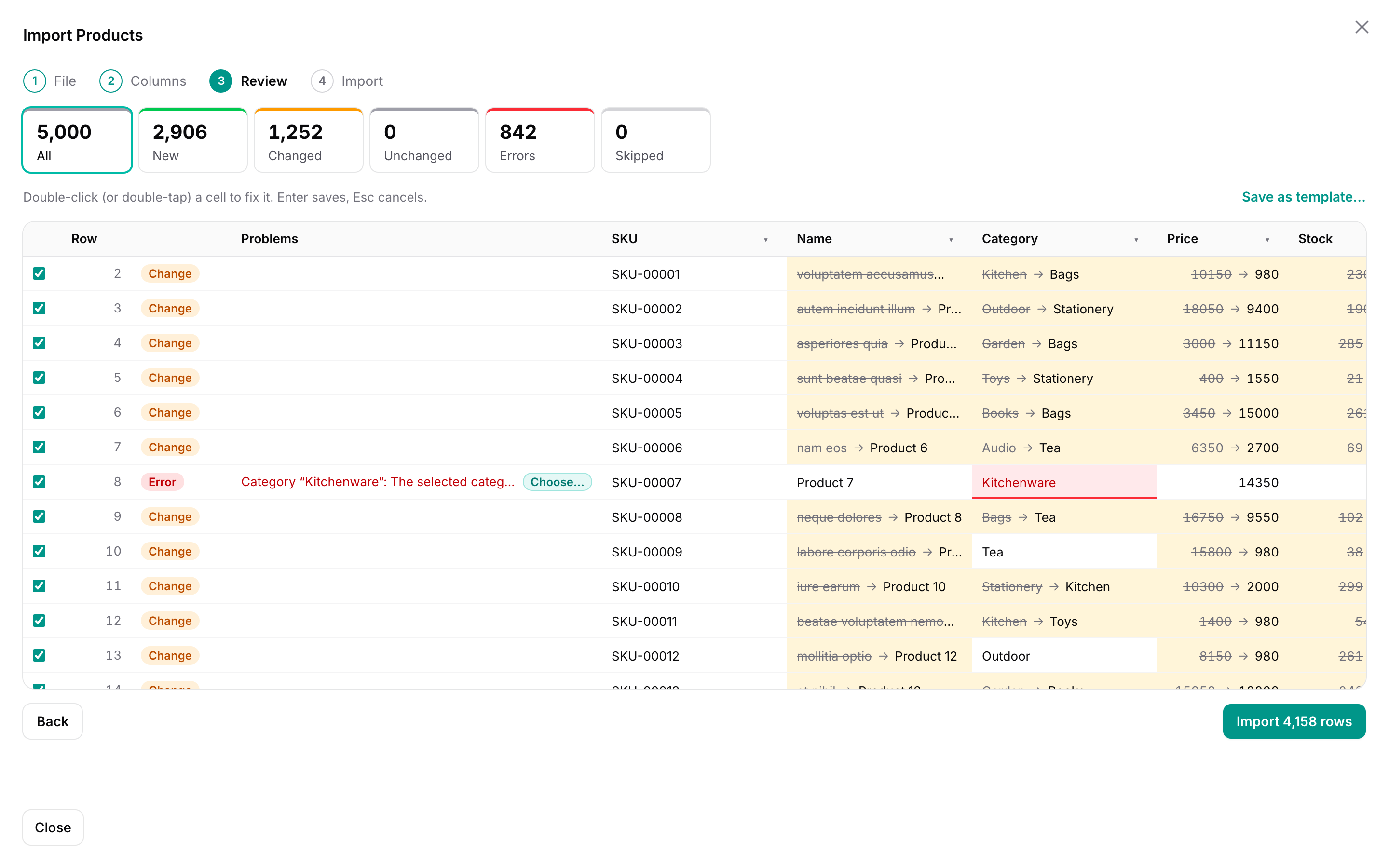
See every row before it is imported
Pick a CSV: the columns are guessed, and every new row, every changed value (old → new) and every error is shown before anything is saved.
Try it in the demo →Fix mistakes in the review
Double-click a cell and type the right value, or choose a known category with “Choose…”. The row is checked again at once.
Try it in the demo →Map values the column does not know
“UK”, “Deutschland” and “VIP” are mapped once to the options of the column, for every row that has them.
Try it in the demo →Undo an import
Open it from the Imports page and undo it: new records are deleted, and changed ones get their old values back.
Try it in the demo →One person imports, another approves
Ask for approval with a note. The manager checks the same rows and approves them or sends the import back.
Try it in the demo →What Filament's import does not do
- Before writing
- Review every row
- After writing
- Undo
- Real-world files
- CSV, Excel, paste
New, changed field by field, unchanged or an error — your importer runs on every row without saving. Fix cells and skip rows in a table of 100,000 rows.
Delete what the import created and put back what it changed, for 30 days. Records someone edited since are left alone.
xlsx, CSV and pasted cells. "$1,200", "Jan 5, 2026", "Y" and "Sold out" become the values your app expects — and so do Japanese files.
Your importer, unchanged
Replace ImportAction with WarpImportAction and keep the class: columns, rules, relationships, resolveRecord(), hooks and the options form work as before.
- No queue worker: the browser imports in steps with a progress bar, pause and resume. Or hand it to the queue.
- Parent and child sheets: orders and their items from one workbook, linked by the order number.
- Templates: next week's file with the same headers is mapped, cleaned up and value-mapped automatically.
protected function getHeaderActions(): array
{
    return [
        WarpImportAction::make()
            ->importer(OrderImporter::class)
            ->child(
                OrderItemImporter::class,
                relationship: 'order',
                parentColumn: 'order_no',
            ),
    ];
}
See it in the demo
Review and fix
Download the sample file with mistakes, fix them in the review and import.
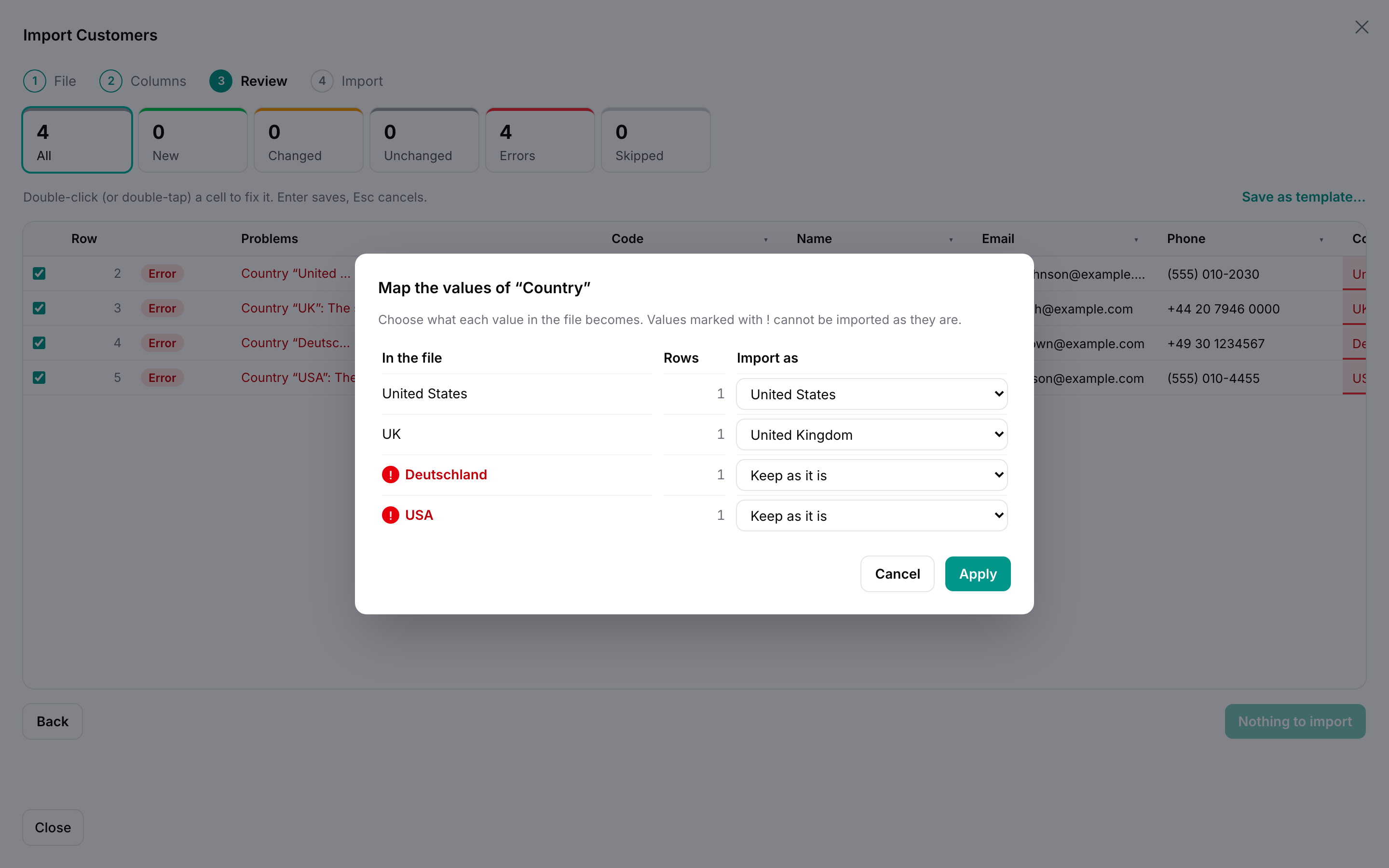
Map values
"UK", "USA" and "Deutschland" mapped to the countries the app stores. Choose… next to an error shows what the column accepts.
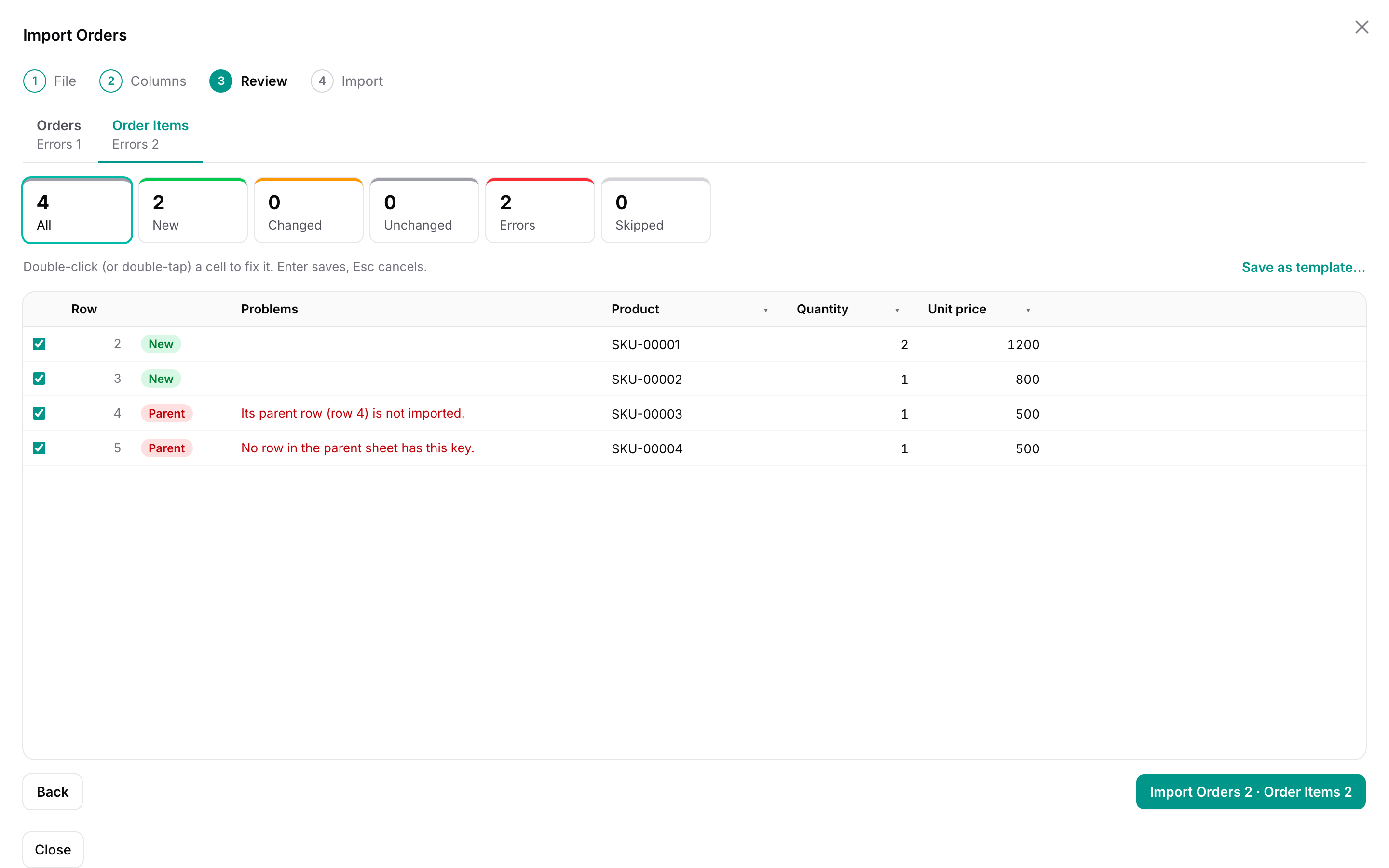
Orders and items
Two sheets of one workbook. Items wait for their order to be fixed.
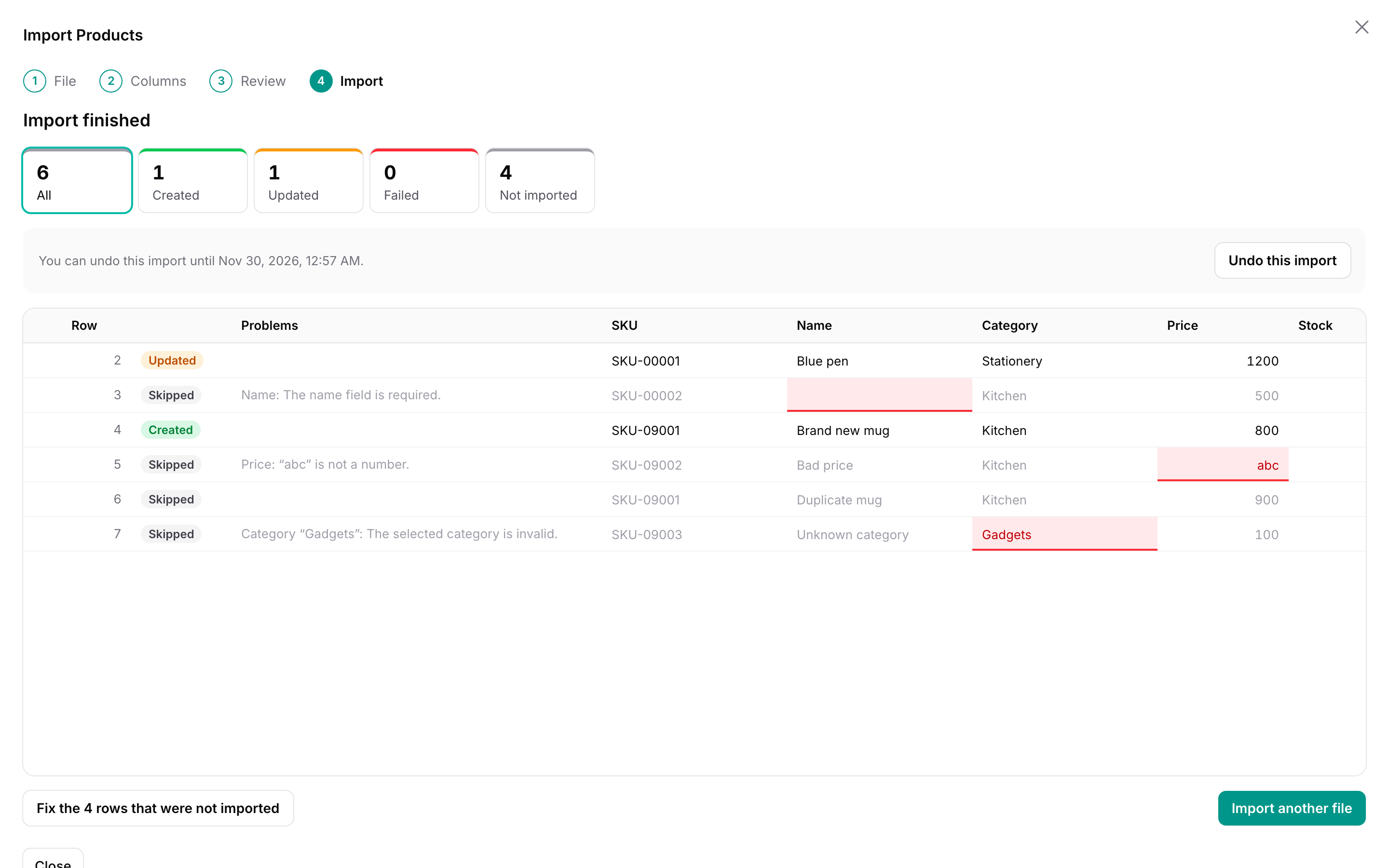
Undo
Every import can be undone from its result or from the list of imports.
Pricing
Install with Composer using your email and license key. Every version released during your update period stays yours.
Single Project
$29
1 year of updates
One project that is not a SaaS, in all of its environments.
Buy Single ProjectUnlimited Projects
$59
1 year of updates
Any number of projects, including SaaS applications.
Buy Unlimited ProjectsNot sure it fits, or which license you need? Ask before you buy: pre-sales questions are welcome.
Hear about new releases
An email when a new version of Warp Import ships. Nothing else, and you can unsubscribe at any time.
Thanks! You're on the list.
From the makers of Warp Import
Warp UI: fast plugins for Filament with real amounts of data
Warp Import is one of six Warp plugins. Each one draws the heavy part on a canvas, so thousands of rows stay smooth, while forms, actions and policies stay Filament’s own. Same look, same license terms, one place for support.
- Warp Table Fast tables for large pages
- Warp Sheet A spreadsheet for your resources
- Warp Repeater Table repeaters with a thousand lines
- Warp Scheduler A resource scheduler for thousands of rows
- Warp Pivot Pivot tables that add up in the database
- Warp Floor Floor plans for desks, rooms and shelves
- Warp Import You are here warpui.taglines.import