Warp Clipboard demo — Shared demo · resets every hour warpui.com About Warp Clipboard Documentation Ask a question composer require qalainau/filament-warp-clipboard
Skip to content

Dashboard

Paste what you copied before.From this code.

Filament pastes only the last thing you copied. Warp Clipboard remembers the last copies in the browser, so you can pick one from a searchable list and paste it into any field.

Your code One plugin, no setup
$panel->plugin(    WarpClipboardPlugin::make()        ->limit(10)        ->persist(true)        ->topbarButton(true),);
  • ✓Press Ctrl+Shift+V (Mac: ⌘⇧V) in a text field to pick a copy
  • ✓Pin the text you reuse, and add your own
  • ✓Passwords are never remembered; history stays in the browser
What you get
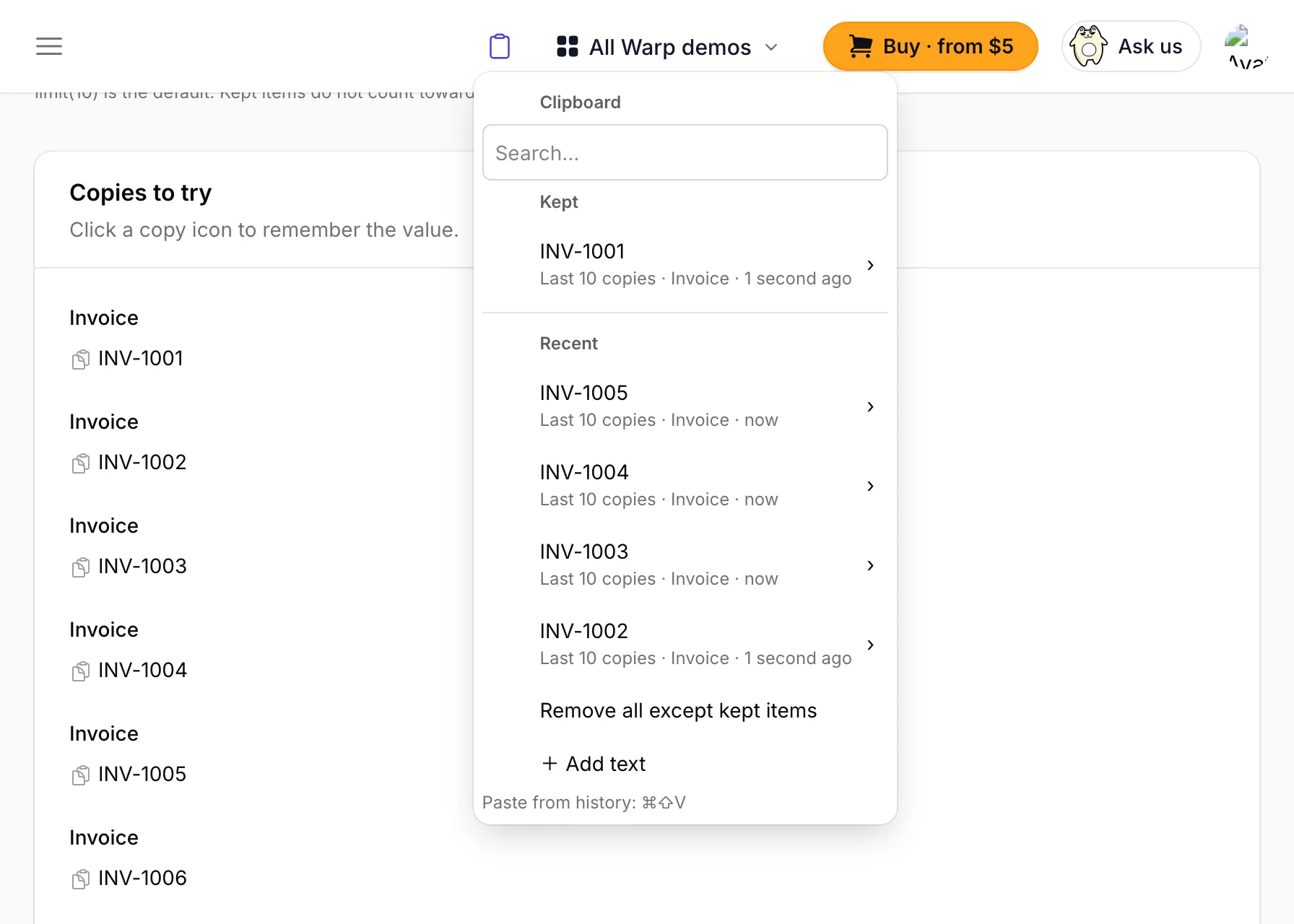
The clipboard list with recent copies and kept text, open over an invoices table The clipboard list with recent copies and kept text, open over an invoices table

The picture is this demo's "Last 10 copies" page with the clipboard list open.

Try Warp Clipboard

Warp Clipboard remembers what you copy in your Filament panel, keeps the texts you reuse, and pastes them into any field with Ctrl+Shift+V or right-click.

Quick start

Click the copy icon next to INV-1001. Then click in the Notes field and press Ctrl+Shift+V (⌘⇧V on Mac): INV-1001 is in the list. Press Enter to paste it.

Last 10 copies

Copy all 12 invoice numbers in order, then open the list with Ctrl+Shift+V in the field below. Only the last 10 are there: INV-1001 and INV-1002 were dropped. Copy INV-1005 again and it moves to the top.

Keep an item

Copy INV-1001, then click the clipboard icon at the top right. Point at INV-1001 and choose Keep. Now copy the other 11 numbers: INV-1001 stays under Kept.

Add your own text

Click the clipboard icon at the top right and choose + Add text. Name it Thanks and type a short reply. In the Reply field, press Ctrl+Shift+V and choose Thanks to paste it.

Paste with right-click

Copy something first (the copy icon next to the address above copies it). Right-click the Shipping address field and choose it from the list. Shift + right-click still opens the browser's own menu.

Fields it never remembers

Type something in each field, select it and copy it with Ctrl+C (⌘C). Open the clipboard icon at the top right: none of them is in the list. Ctrl+Shift+V does not open in these fields either.

With Warp Context Menu

Right-click a customer name and choose Copy cell text. Then right-click any invoice row and open Clipboard. You can copy again, keep or remove items without leaving the table. Warp Context Menu is free.

On a phone

On a phone or a window narrower than 640px, tap the clipboard icon at the top right. The list opens as a sheet from the bottom. Tap an item, then Copy again.