Warp Context Menu demo — Free and open source · MIT license · Shared demo; resets hourly warpui.com About Warp Context Menu Documentation Ask a question Get it free on GitHub composer require qalainau/filament-warp-contextmenu
Skip to content

Dashboard

Right-click your actions.From this code.

Filament shows row actions as buttons. Warp Context Menu reuses the same actions in a right-click menu: on a row, a cell, selected rows and the page, with search, submenus and a long-press menu on a phone.

Your code One plugin, one line per table
$panel->plugin(    WarpContextMenuPlugin::make(),);$table    ->recordActions([$markPaid, $delete])   ->contextMenu();
  • ✓Right-click a row to use the actions you already wrote
  • ✓Search the menu, open submenus, act on selected rows
  • ✓Free and open source (MIT), no setup or migration
What you get
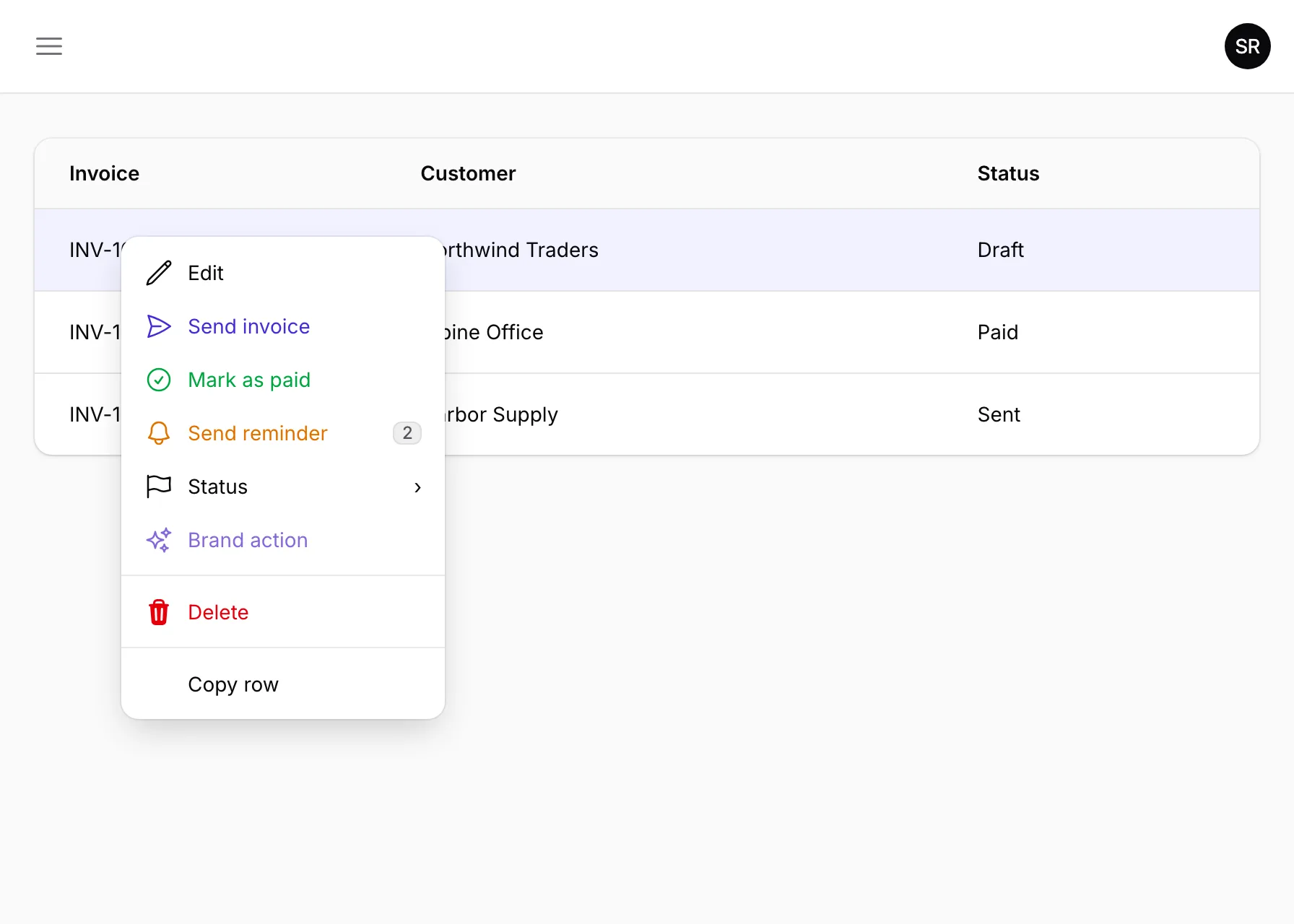
An invoices table with a right-click menu open on one row, showing actions, a Status submenu and a search box An invoices table with a right-click menu open on one row, showing actions, a Status submenu and a search box

The picture is this demo's "Icons and colors" page with the menu open; the code shows only the shortest setup.

Right-click your Filament actions

Try sixteen examples with fictional sales invoices, customers and account owners. Each page demonstrates one feature. Changes are shared and reset every hour.

Tables

  • Start here

    If INV-1001 is missing, choose Reset this example.

  • Different menu per row

    Compare INV-1001 and the paid INV-1002.

  • Submenus

    Right-click INV-1001 and open Status.

  • Icons and colors

    Right-click INV-1001 to compare icons and colors: Edit has a pencil and no color; Send invoice uses the theme’s primary color, Mark as paid is green, Send reminder is amber, and Delete is red and asks for confirmation.

  • Sections and check marks

    Right-click INV-1001.

  • Selected rows

    If INV-1001 and INV-1003 are already Paid, choose Reset this example.

  • Cells

    Right-click an email cell and choose Email customer: a notification identifies the invoice (this demo does not send mail).

  • Links

    Right-click a customer name.

  • Search

    Right-click INV-1001.

  • Keyboard

    Move the pointer over INV-1001 and press Shift+F10 or the ContextMenu key.

  • On a phone

    On a phone, hold an invoice row for half a second without moving.

  • Column headers

    Right-click a column heading.

  • Table space

    Right-click the toolbar, empty table space or pagination.

Pages

  • Anywhere on the page

    Right-click the heading, description, card, sidebar or top bar.

  • Infolist entries

    Right-click an invoice value and choose Copy value to copy its displayed text.

  • Choose page actions

    Right-click the outlined space and choose Invoice summary: the notification reports 3 invoices.