A plugin for Filament 5
Findings pinned on your drawings
Open a PDF floor plan or a photo, click where something is wrong and describe it. Every pin is a record of your own model — with a status, an assignee, a due date, photos and comments — and the next revision of the drawing brings the open ones along.
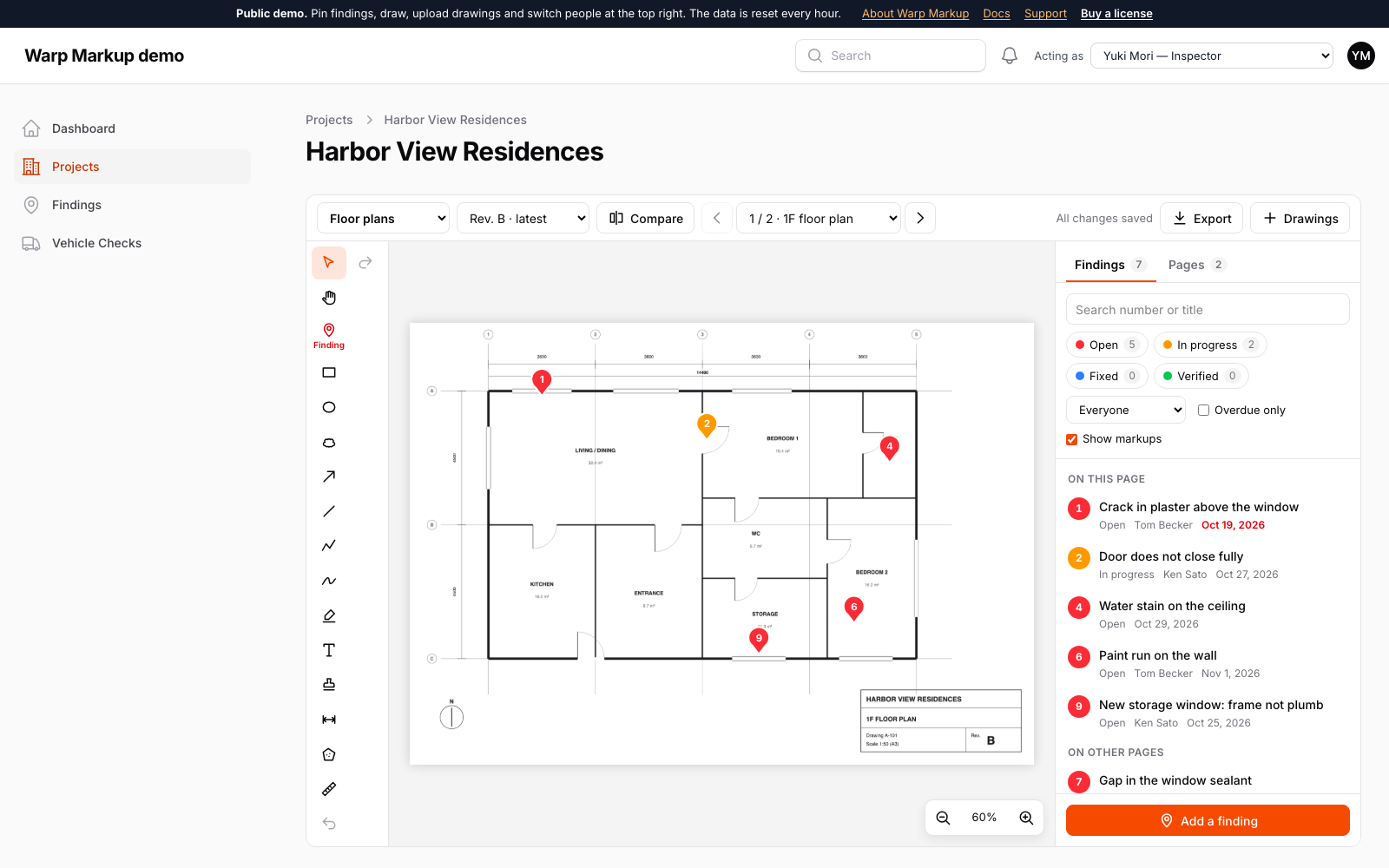
From the site to the report
- Records
- Your own model
- Drawings
- PDF, sharp at any zoom
- Revisions
- Open findings move along
A pin is a row of your Defect, Issue or PunchItem model with your own form. Tables, filters, exports and policies keep working.
Multi-page PDFs and photos, clouds, arrows, text, stamps, length and area with a calibrated scale. Saved as you draw.
Upload revision B and the pins that are not fixed yet are on it, with their numbers. Compare two revisions as an overlay.
Watch it work
Short clips recorded in this demo. Each one links to the page it was recorded on, so you can try it yourself.
Click the drawing to leave a finding
Click where the problem is on a PDF floor plan and fill in your own form: the pin gets a number, and the room is filled in from where you clicked.
Try it in the demo →Mark up the drawing
Draw revision clouds, arrows and notes on the PDF. The ruler reads millimetres from the 1:50 scale, and every stroke is saved by itself.
Try it in the demo →See what changed in revision B
Lay two revisions over each other (red is only in A, blue only in B) and press “Cloud the changes”. Every difference gets a cloud, and open findings move to the new revision.
Try it in the demo →Subcontractors reply without an account
Tick the findings and make a share link. The subcontractor opens it without signing in and replies with a comment, a photo and “Fixed”. Your panel shows it at once.
Try it in the demo →Circle the problem on the photo
Draw on a site photo, and when the repair photo comes in, slide between before and after on the finding itself.
Try it in the demo →A report for the client
Export → Findings report: a cover with the counts, every drawing with its numbered pins, and every finding with a crop of the plan and its photos. CSV and BCF too.
Try it in the demo →A trait and a page
Add HasMarkup to the model that holds your findings and configure the workspace on a page. The form is yours; Warp Markup adds the drawings, the pins, the history and the report.
- On the site: photos from the phone camera, status buttons, long-press for a pin, pinch to zoom.
- Out of the browser: the marked-up PDF and PNG are made in the browser; the findings report prints or becomes a PDF with Browsershot.
- Built in: drawing revisions, compare, comments and history, notifications, links to a finding, tenancy, dark mode and ten languages.
class Defect extends Model
{
    use HasMarkup;
}

class Drawings extends MarkupPage
{
    public function markup(Markup $markup): Markup
    {
        return $markup
            ->findings(Defect::class)
            ->findingSchema([
                TextInput::make('title')->required(),
                Select::make('assignee_id')->relationship(...),
                DatePicker::make('due_on'),
            ])
            ->assignee('assignee')
            ->due('due_on');
    }
}
See it in the demo
Switch people at the top right of the demo to assign a finding to someone and see it arrive.
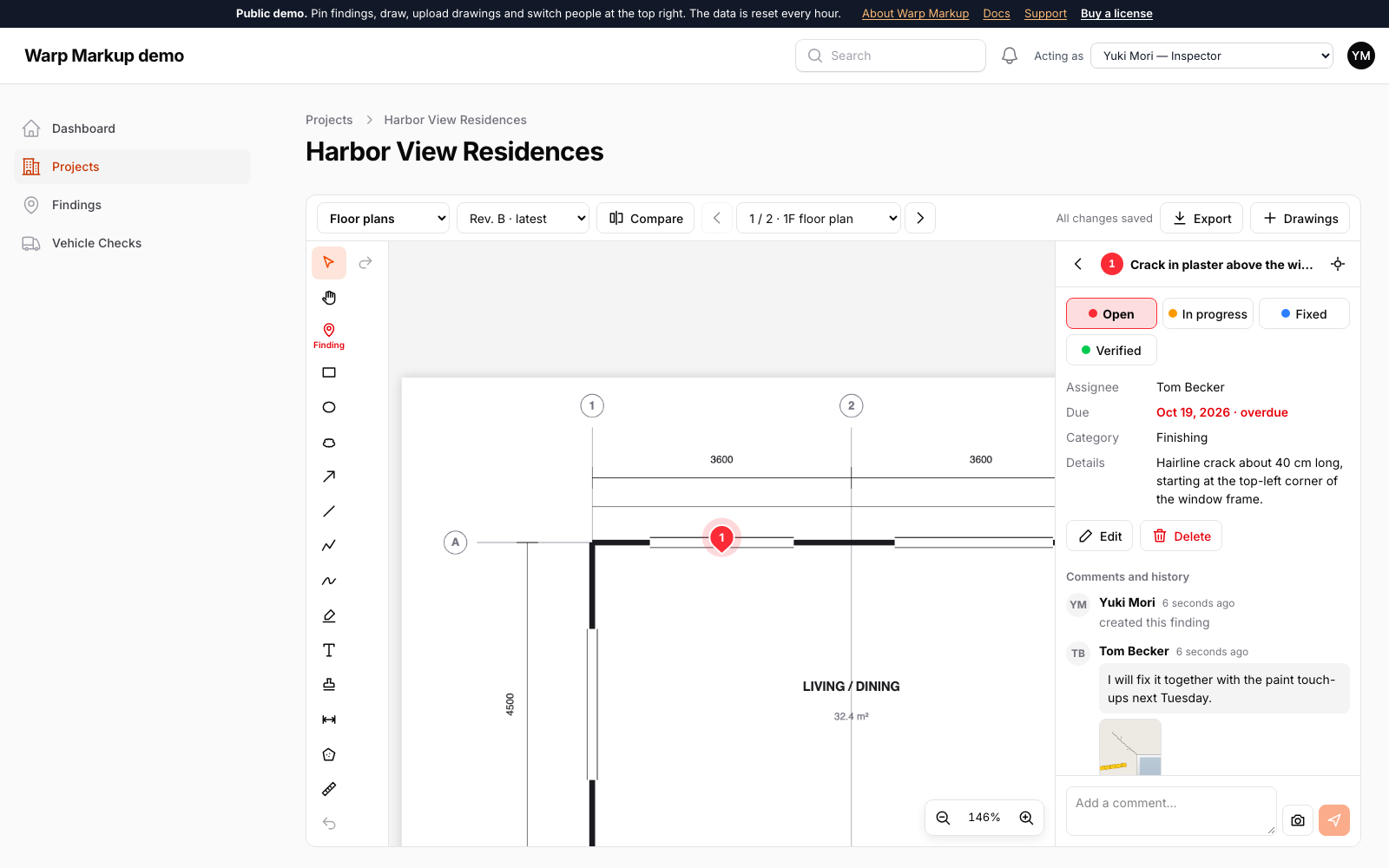
A finding, from pin to photo
Status buttons, the assignee and due date, comments with photos and the whole history next to the drawing.
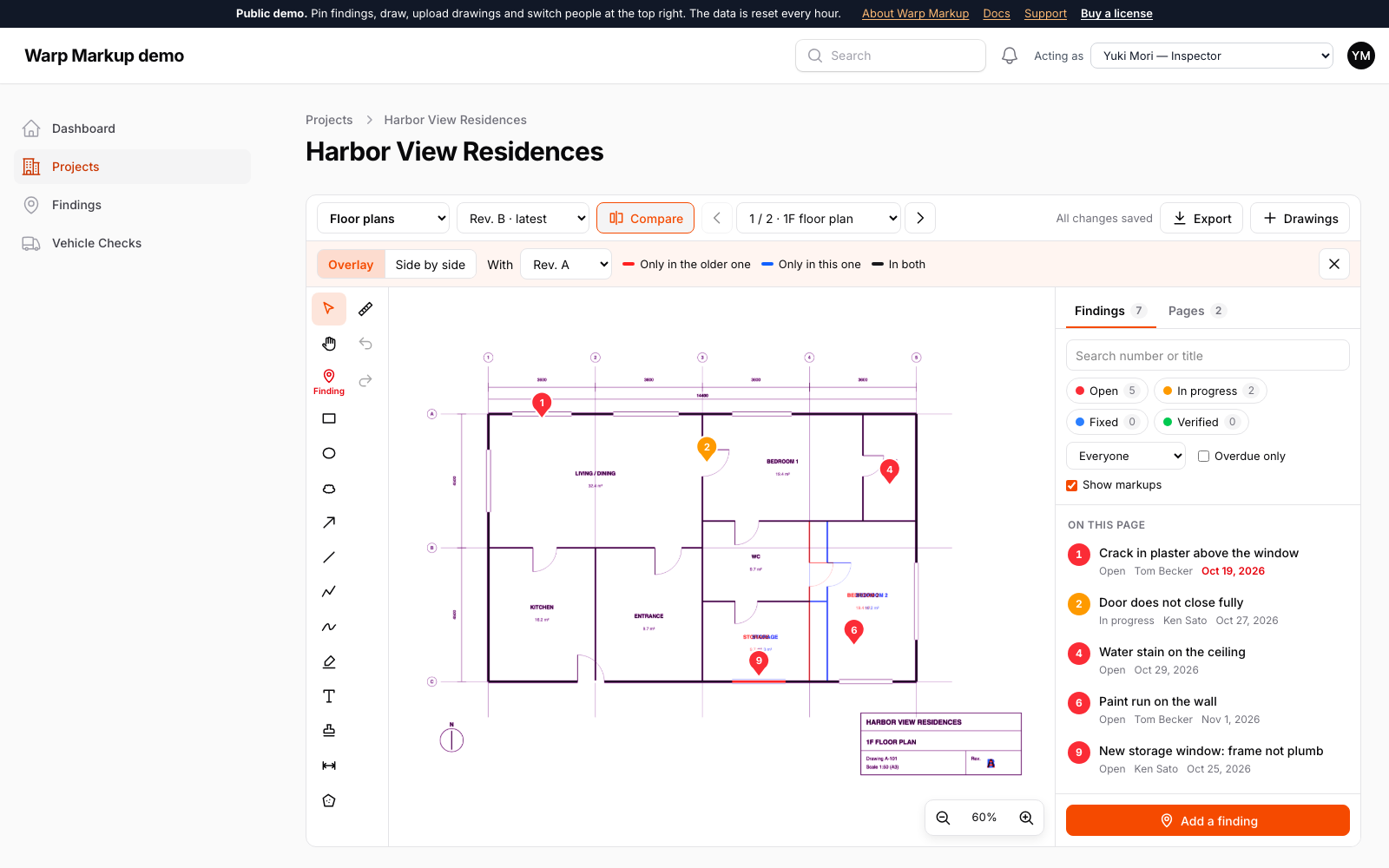
Compare revisions
Overlay two revisions: removed lines in red, added lines in blue — or slide between them.
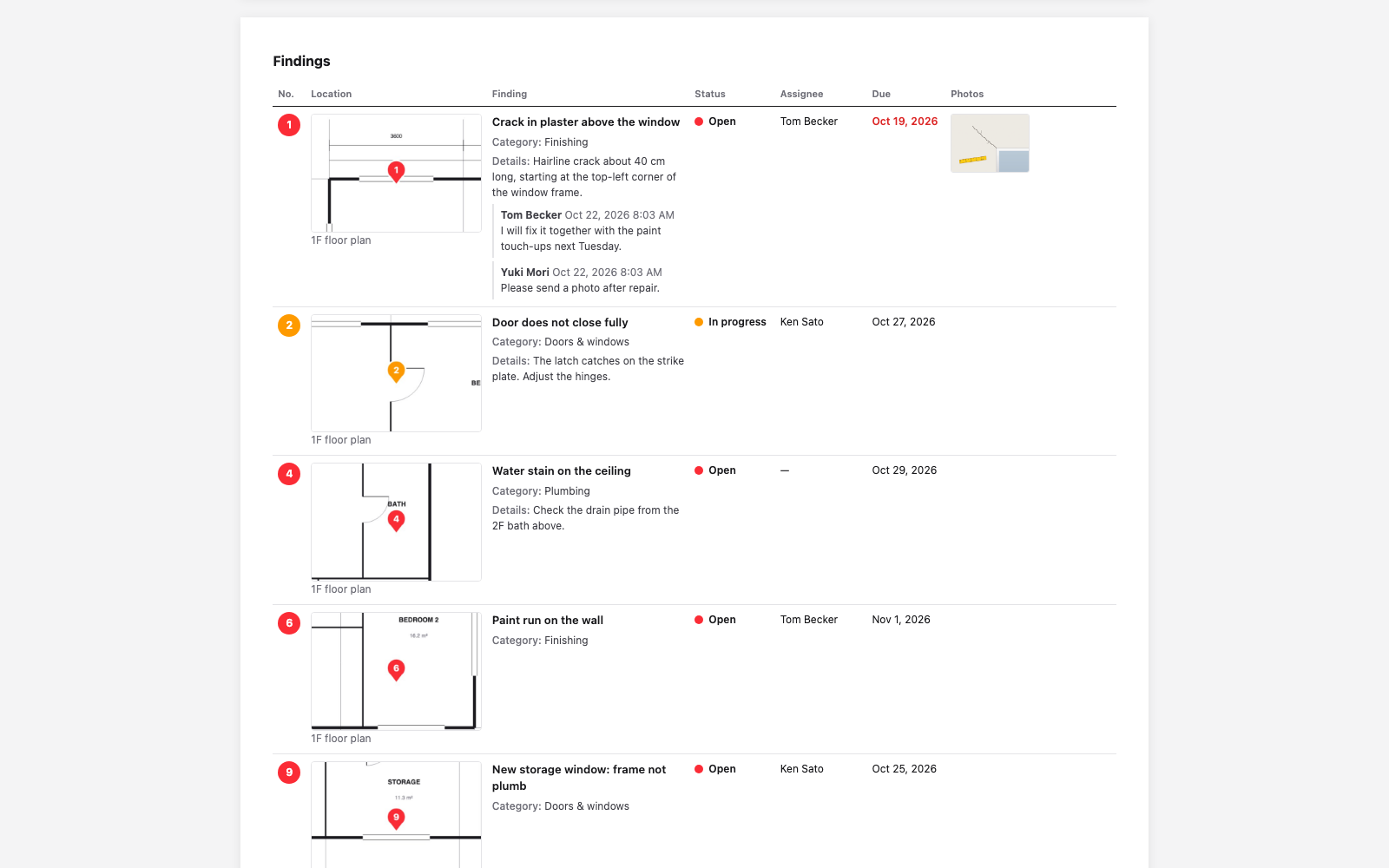
The findings report
A cover, the numbered drawings and every finding with a crop of the drawing and its photos.
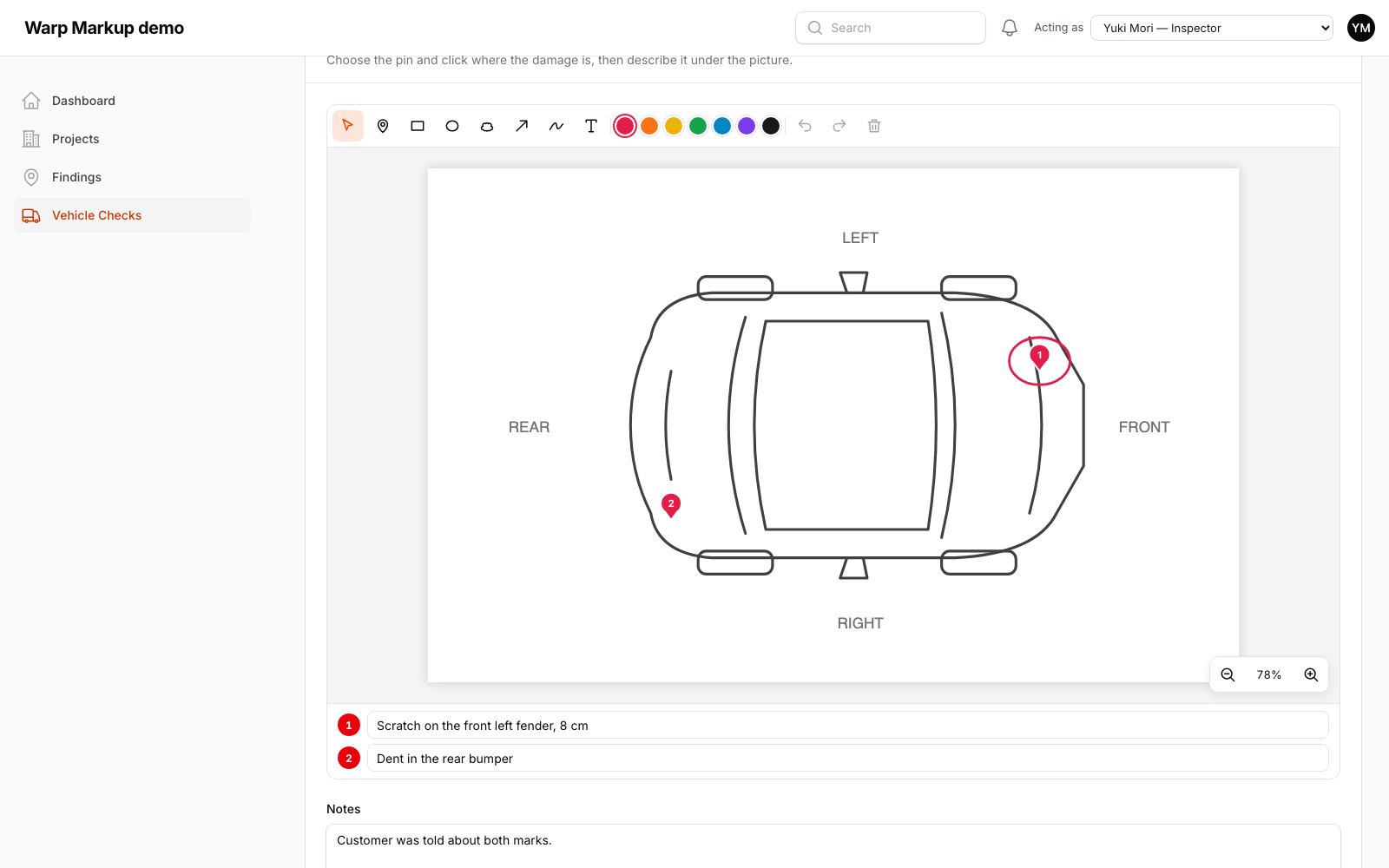
In any form
Draw damage on a car diagram during check-in, with a numbered note per mark.
Pricing
Install with Composer using your email and license key. Every version released during your update period stays yours.
Single Project
$99
1 year of updates
One project that is not a SaaS, in all of its environments.
Buy Single ProjectUnlimited Projects
$199
1 year of updates
Any number of projects, including SaaS applications.
Buy Unlimited ProjectsNot sure it fits, or which license you need? Ask before you buy: pre-sales questions are welcome.
Hear about new releases
An email when a new version of Warp Markup ships. You can unsubscribe at any time.
Thanks! You're on the list.
From the makers of Warp Markup
Warp UI: fast plugins for Filament with real amounts of data
Warp Markup is one of the Warp plugins. Each one draws the heavy part on a canvas, so thousands of rows stay smooth, while forms, actions and policies stay Filament's own. Same look, same license terms, one place for support.
- Warp Table Fast tables for large pages
- Warp Sheet A spreadsheet for your resources
- Warp Repeater Table repeaters with a thousand lines
- Warp Scheduler A resource scheduler for thousands of rows
- Warp Pivot Pivot tables that add up in the database
- Warp Floor Floor plans for desks, rooms and shelves
- Warp Import Imports you review, fix and undo
- Warp Shift Monthly shift rosters that check the rules
- Warp Markup You are here Findings pinned on PDF drawings and photos

Can Warp Markup do what your app needs? Describe your case and we’ll tell you honestly. An email address is all you need.
Ask us